“Where is the latest version?”
One file, one history: every named version lives inside the .docx itself – no more contract_final_v3_FINAL2.docx.

Word Versioning stores named versions and a complete audit trail directly inside the .docx file. It works entirely offline – on a local machine or on any network drive. Trusted for contract work in law firms – with no DMS and no SharePoint.
€19.98 one-time payment · no subscription
One-time payment · No data transmitted · Made in Germany
Questions we hear every week from law firms, legal departments, and contract teams – and how Word Versioning answers them.
“Where is the latest version?”
One file, one history: every named version lives inside the .docx itself – no more contract_final_v3_FINAL2.docx.
“Who made this change?”
The audit trail records every saved version with user name and timestamp – exportable as a PDF.
“Can I restore last week’s version?”
Open any earlier version directly from Word and pick up exactly where the document stood.
“Which version was sent to the client?”
Save a named version such as ‘Sent to client, 12 May’ – the record travels with the file.
“I accidentally overwrote the document.”
Earlier saved versions stay inside the file – overwriting the current text doesn’t destroy the history.
“We need to be able to trace changes.”
A complete, exportable document history for Word – ready for compliance, review, or a court file.
It does – but only if your documents are stored on OneDrive or SharePoint. For compliance, data protection, or confidentiality reasons, many documents cannot be stored there. Word Versioning covers every other case.
| Capability | Built-in Word | Word Versioning |
|---|---|---|
| Version history without OneDrive/SharePoint | No | Yes |
| Versions stay inside the document file | No – kept on the server | Yes – inside the .docx |
| Named versions with a comment, without SharePoint | No | Yes |
| Audit trail exportable as PDF | No | Yes |
| Works on local and network drives | No | Yes |
| Versions travel with the copied or emailed file | No | Yes |
| Requires additional server infrastructure | Yes | No |
To be fair: Word can already track changes and compare two documents without any add-in. Word Versioning does not replace those features – it adds what is missing: durable, named version states and an exportable record of who produced which version and when.
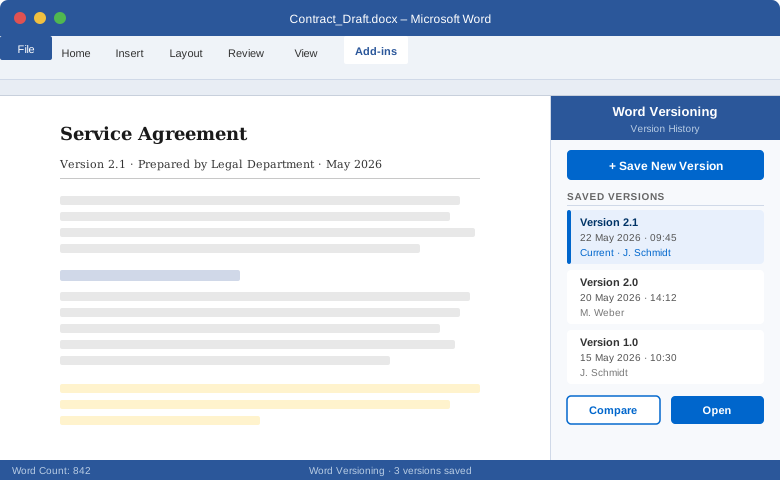
Word Versioning integrates directly into the Microsoft Word environment your team already uses every day.
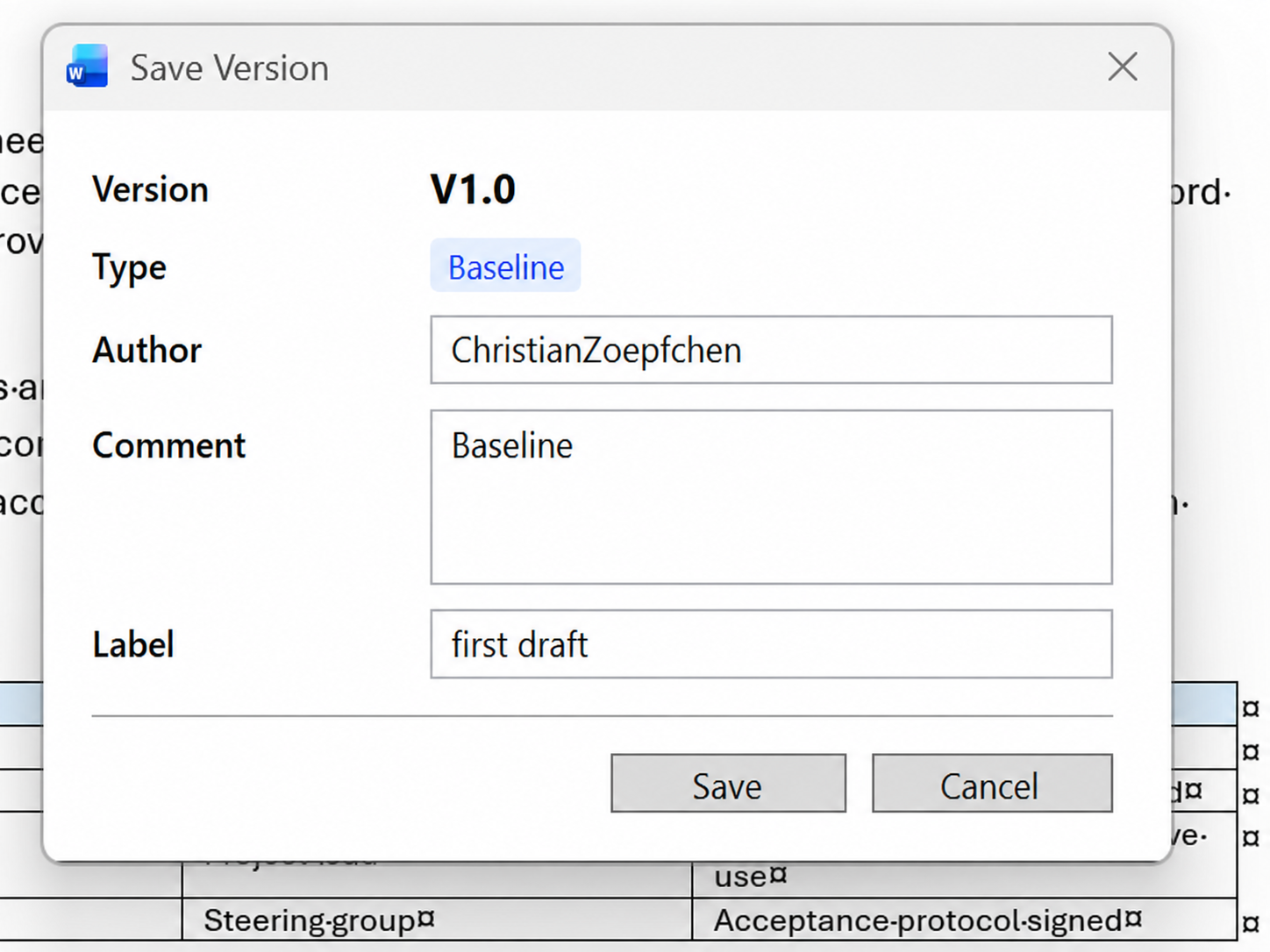
Create defined document versions without leaving Microsoft Word.
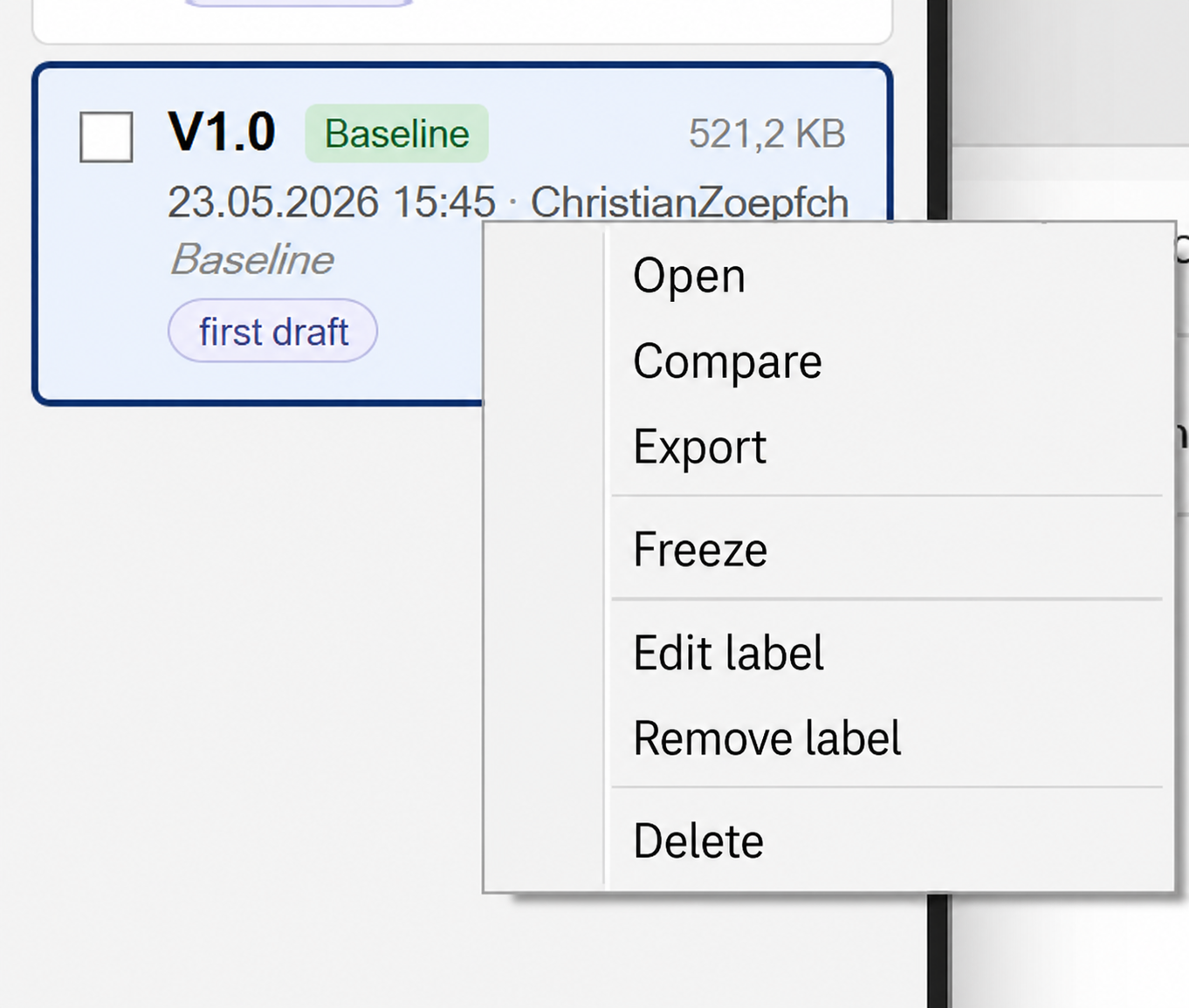
Access previous document states without digging through manual file copies.
Compare document states and see what changed between versions.
Export a complete audit trail as a PDF — including the full history of document changes and the users who made them. The audit trail is stored inside the Word file and works entirely offline.
The add-in works purely locally. Your documents never leave the machine – no server, no cloud account. No internet connection is required for day-to-day use.
Buy once, use permanently. No subscription and no recurring billing.
Word Versioning includes a built-in audit trail that records every version saved, the user who saved it, and the timestamp of each change. No external system required.
Generate a printable PDF report of the complete audit trail at any time. The export lists all saved versions, the responsible users, and the dates of each change — ready for documentation, compliance, or review.
Every version entry records the name of the user who saved it, giving you a clear picture of who contributed to the document and when — without relying on external tools or shared drives.
The audit trail is stored directly inside the .docx file itself. No internet connection, server, or additional infrastructure needed for day-to-day use. The history travels with the document wherever it goes.
Law firm document versioning without a DMS: manage contract versions, brief drafts, and client documents with a traceable history – equally at home in consulting, public administration, and IT.
Replace ad-hoc naming conventions with a structured versioning system inside Word.
Every saved version is traceable – who saved it, when, and from which state.
Audit-relevant workflows get a clear version history – even when the documents are not allowed to leave the machine.
No new tool to learn. Word Versioning integrates directly into the Microsoft Word interface your teams already use.
Word Versioning fits into your existing Word workflow.
Launch Word Versioning from the Word add-in panel or ribbon.
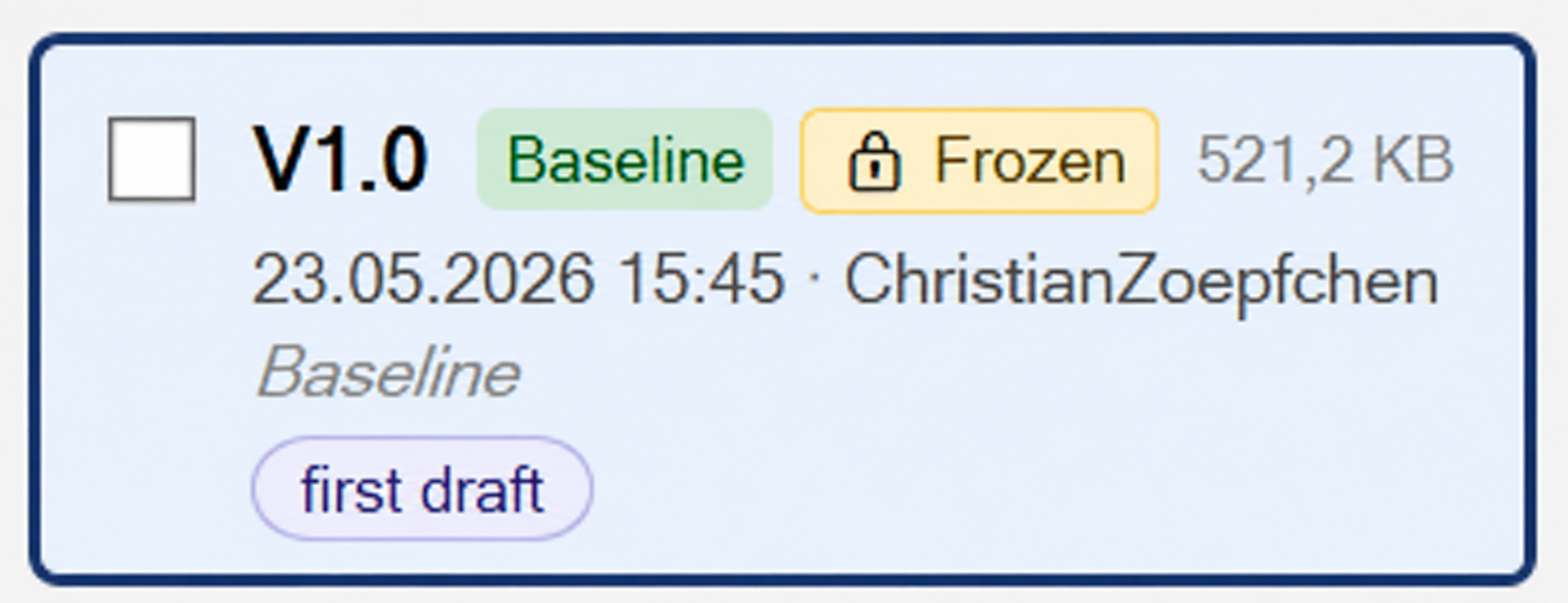
Create a new named version, or browse and open a previously saved one.
Compare versions, see what changed, and continue with the correct document state.
See how the Word Versioning add-in works directly inside Microsoft Word.
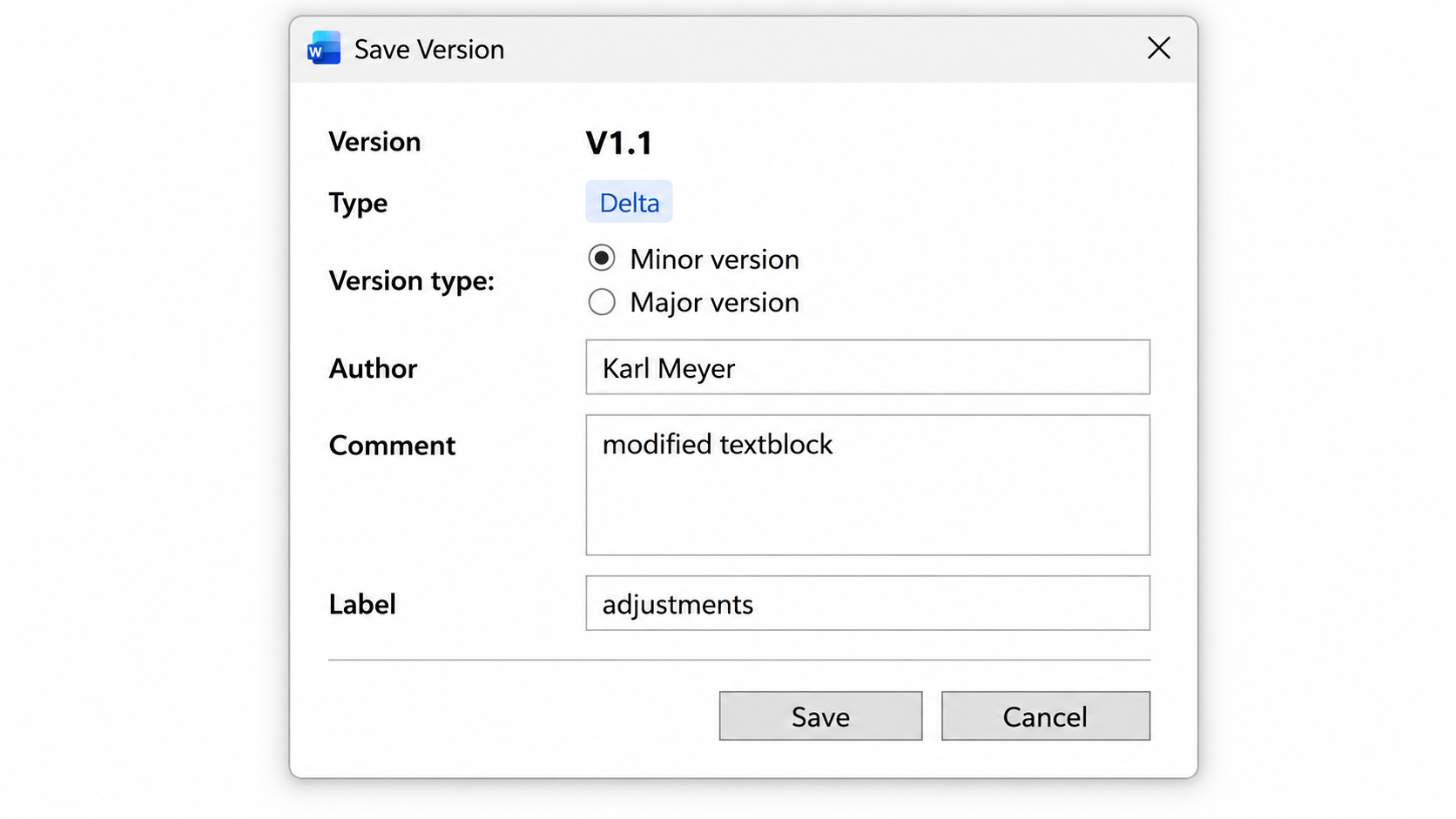
No tiers, no subscription trap, no hidden costs.
€19.98
per license, one-time
Price shown incl. 19 % German VAT (€16.79 net). Checkout displays your local currency and applies your country's tax rate automatically.
Buy now – €19.98Payment handled by FastSpring (Merchant of Record) in your local currency. Credit card, PayPal, and invoice available.
Download the trial and run Word Versioning in your own Word installation.
The trial is limited to 50 program starts – with no time limit. After that a purchase prompt appears; from 60 starts onward it can no longer be used.
Download trialThe add-in transmits no document content. There is no server it sends anything to – not even to us.
Developed and sold by etis GmbH in Trier, Germany. Registered company, full legal notice, reachable support.
The trial runs in your own Word installation and is limited to 50 program starts – with no time limit. You only pay once the add-in works for you.
Talk to us directly – you get a personal answer, not a ticket number.
We’ll send you the download link and a short installation guide by email. The trial is limited to 50 program starts.
Your download is starting. If it doesn’t, click here.